

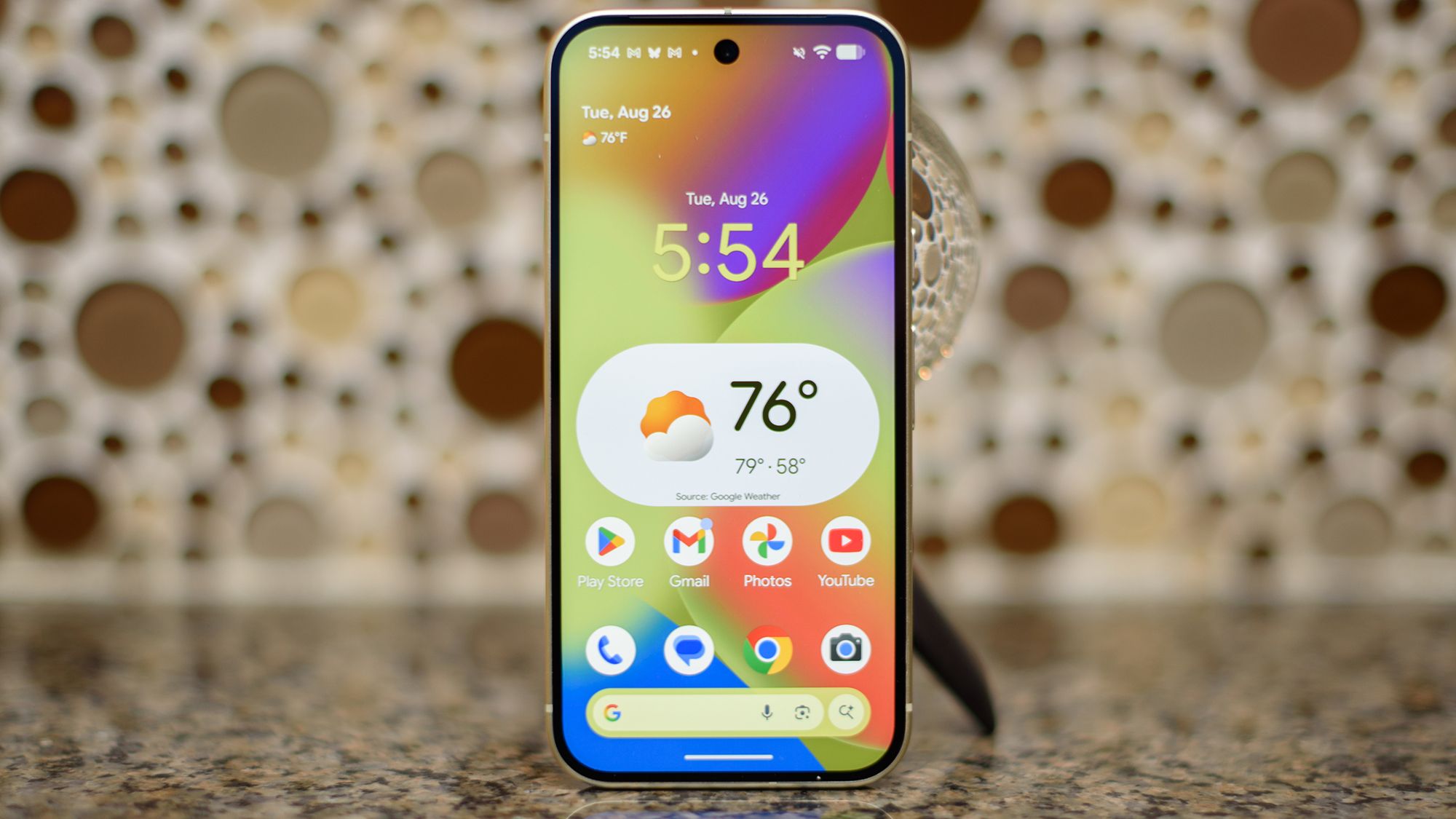
- The beta for Android 17 has been released
- Enhancements for larger screens and improved overall performance
- New features include the option to remove the At a Glance widget
After a slight postponement, the initial beta version of Android 17 is officially available, bringing along several noteworthy updates that may reshape user experience in various ways.
The most pronounced changes mirror expectations from prior announcements. Notably, Google has mandated compliance for app developers concerning orientation and resizing guidelines. While this may pose challenges for some developers, the result is likely to enhance the visual appeal of apps on larger devices, including tablets and advanced foldable smartphones.
Hidden enhancements include a new “generational garbage collection” system designed to lighten the CPU load and optimize memory consumption.
In addition to these adjustments, users can look forward to better camera transitions courtesy of new professional-grade camera APIs. These upgrades aim to minimize issues during switching between different lenses.
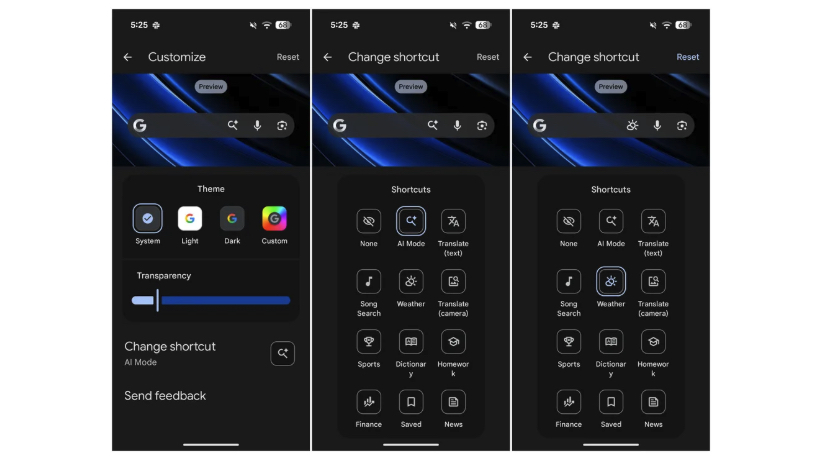
Some of these surprises include a streamlined design for the home-screen search bar, allowing users to swap the AI Mode shortcut for various alternatives, like weather updates or translation tools.
Users can finally remove the At a Glance widget. Additionally, the revamped volume panel now features a quick-access icon for settings, making adjustments more efficient. The overall volume experience has further been standardized, promoting consistency across different apps.
This beta version may reveal even more unexpected features as further explorations continue.
The update is available for Google Pixel 6 and newer, emphasizing participation in the beta testing phase.
Key Takeaways
- The Android 17 beta offers benefits for devices with larger screens, enhancing user experience.
- Performance improvements aim to provide smoother operation and less resource strain.
- Camera functionality is refined for a better photographic experience.
- Users can now customize the home-screen search bar and remove the At a Glance widget.
- The update is available for Google Pixel 6 and newer, emphasizing participation in the beta testing phase.