

With the upcoming release of iOS 26.3, it’s worth reflecting on a standout feature introduced in iOS 26.2: the new Reminders functionality. It’s a game-changer for many users.
Urgent Alerts Transform Reminders
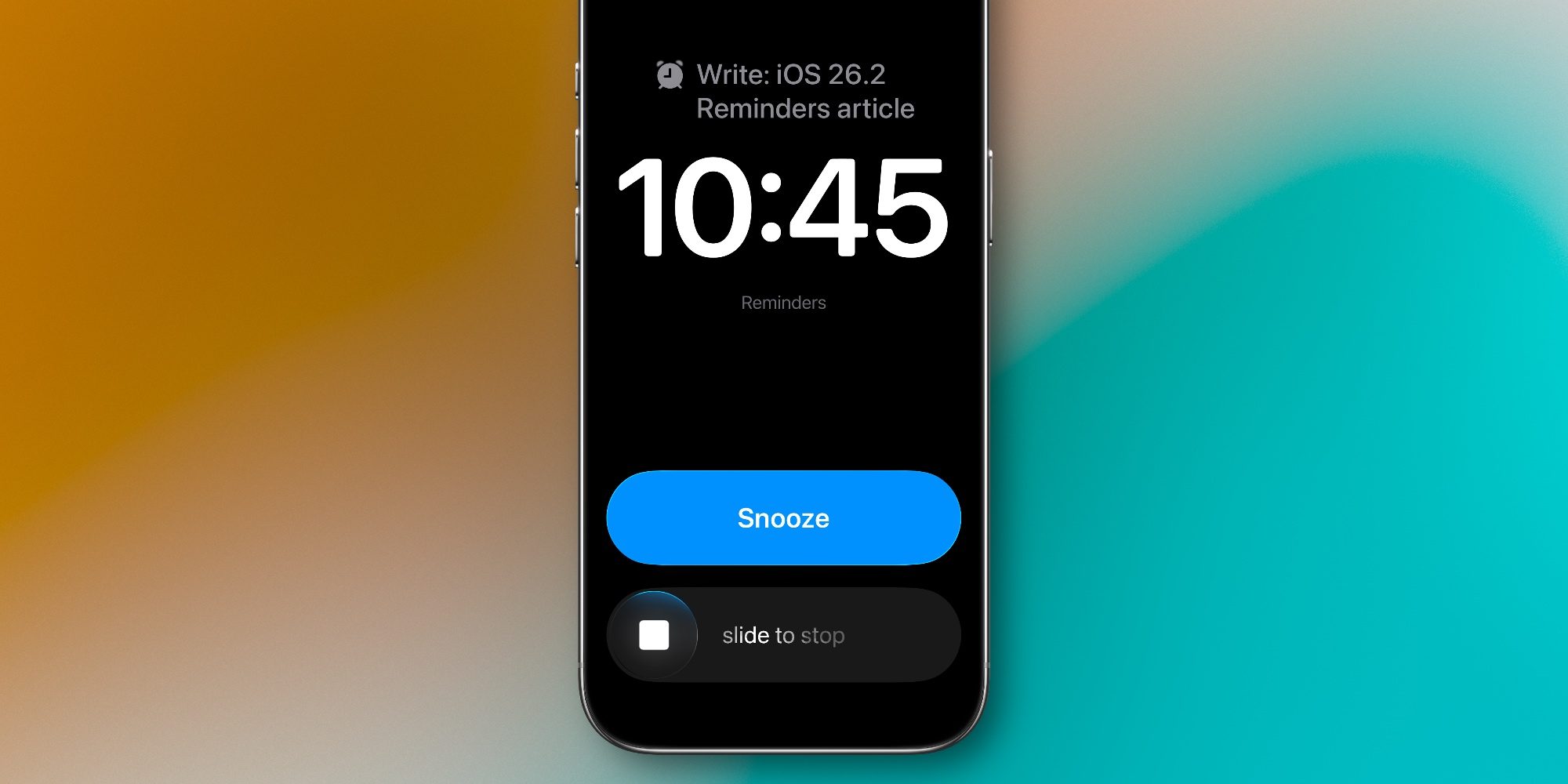
A significant upgrade in the latest update is the ‘Urgent’ alarm feature, an addition that truly elevates the app’s usability.
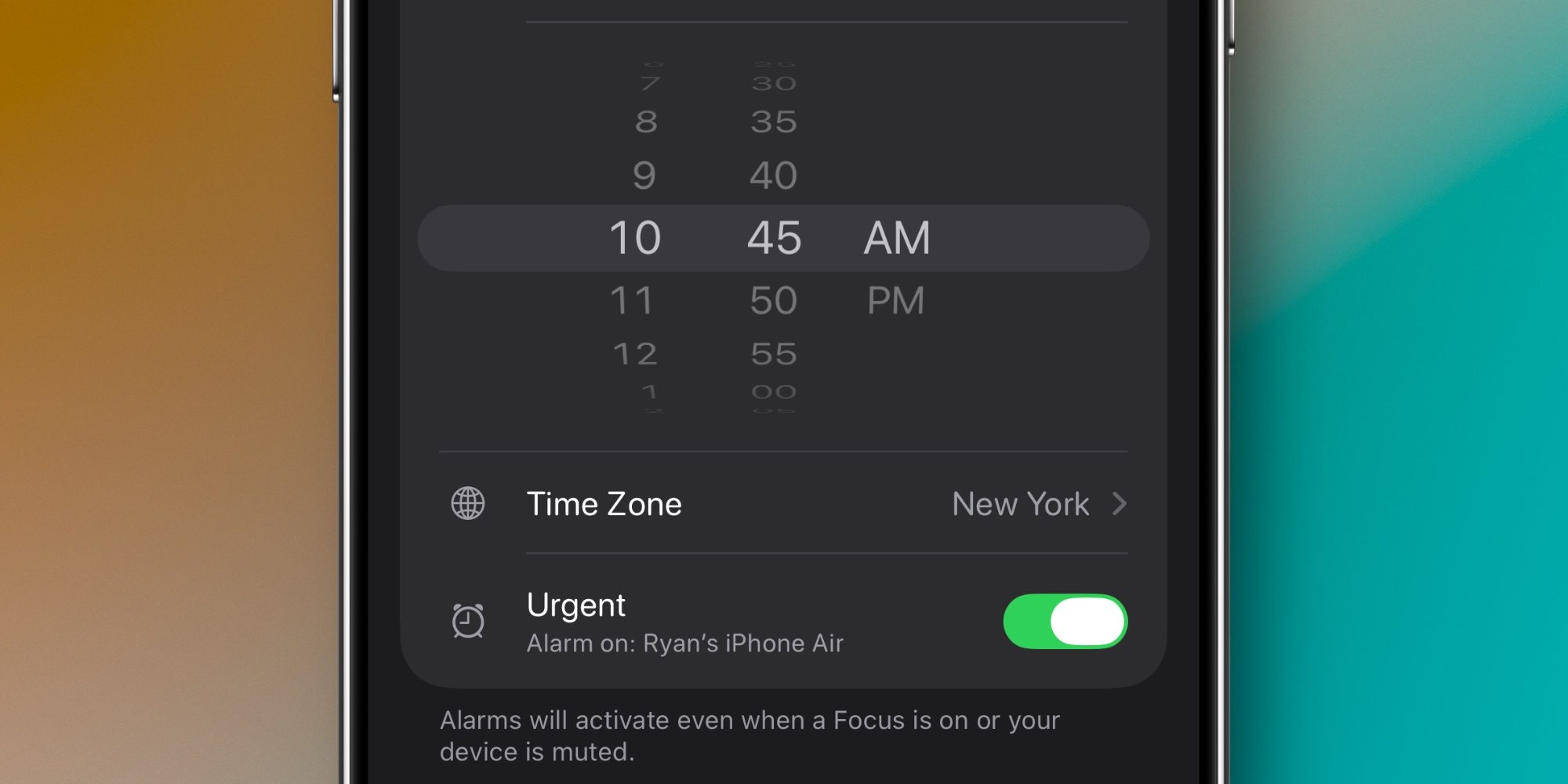
When you create a task with a specific due time, you can now label it as ‘Urgent.’ This prompts your device to generate an alarm when the deadline arrives.
The alarm feature provides options to either snooze for nine minutes or dismiss the alert entirely. Users can also modify their settings to replace the snooze option with a ‘Complete’ button, streamlining task management.
Snooze Functionality Enhances Task Management
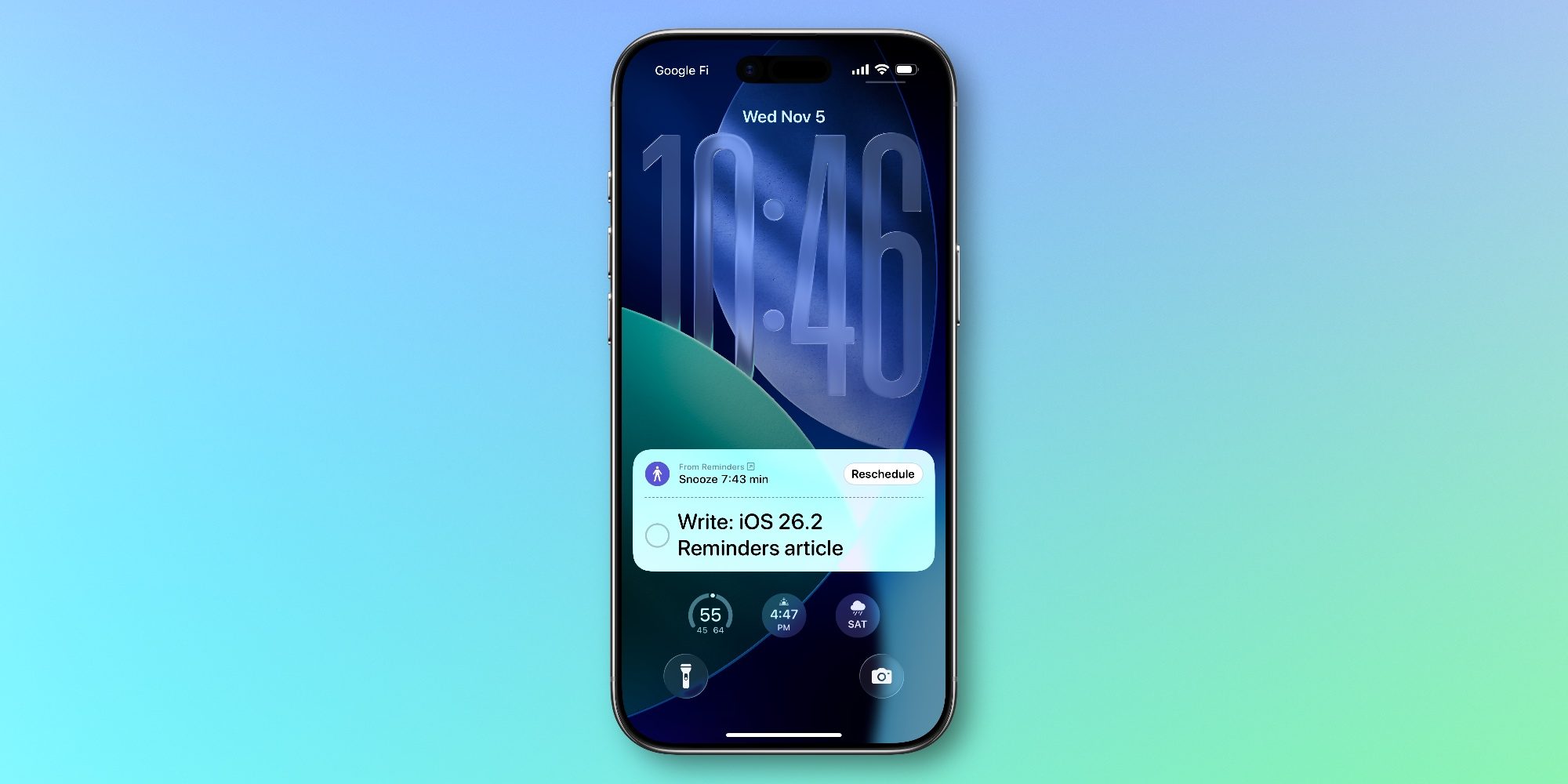
Alongside the alarm functionality, the option to snooze alerts is particularly beneficial. It offers users a way to delay tasks momentarily without losing track of them.
With the snooze option, tasks can be ensured not to be forgotten for more than nine minutes, with a countdown displayed on the Lock Screen serving as a distinct alert.
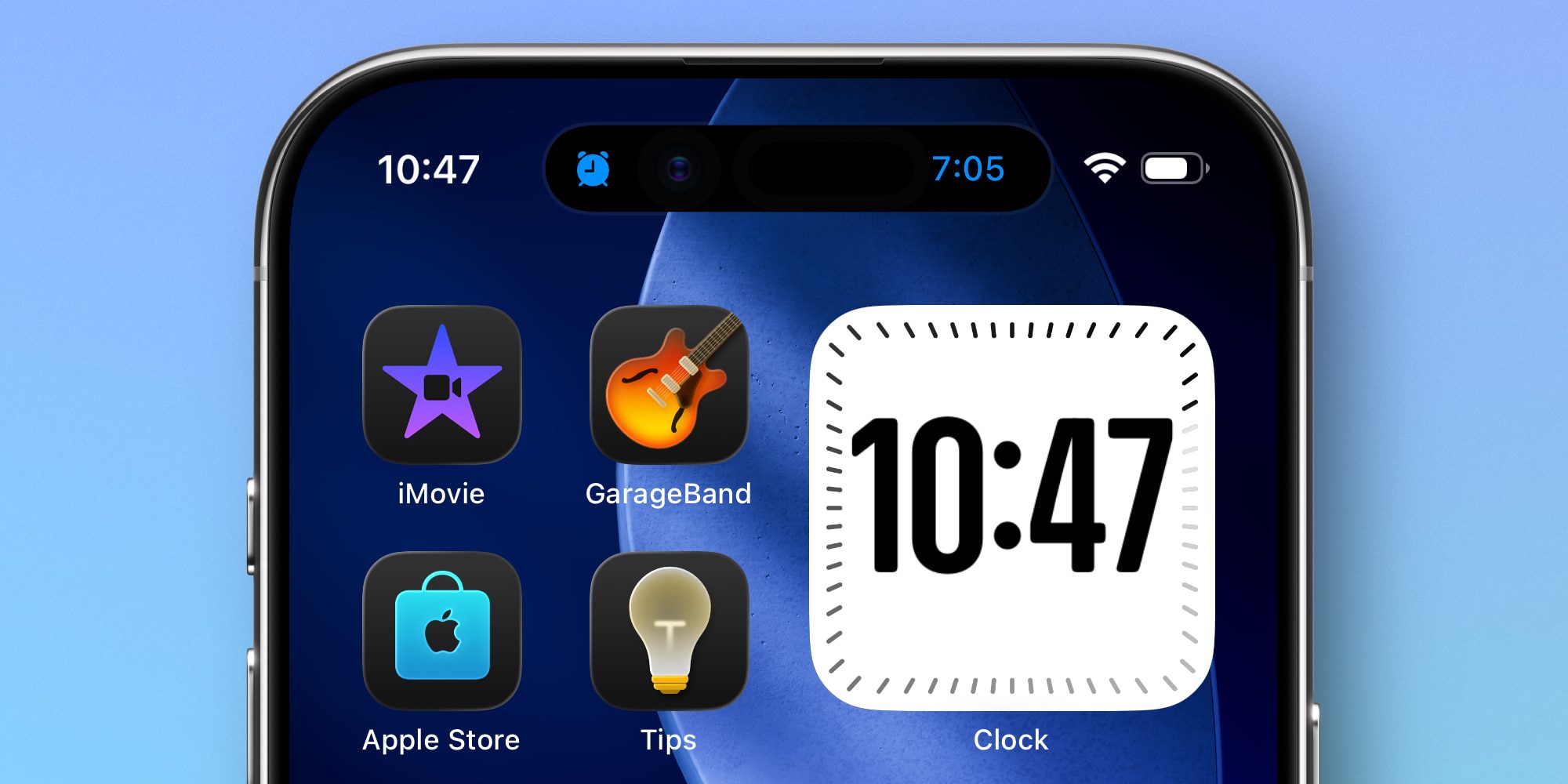
The recent update significantly enriched Reminders, with alarms being a highlight.
Key Takeaways
- The new Urgent feature brings alarms to tasks, enhancing visibility.
- Snooze options offer flexibility to manage time-sensitive tasks more effectively.
- Users can customize the alarm responses to best fit their workflow.
- Continued improvements from Apple provide a competitive edge against third-party applications.
- Persistent notifications help ensure key tasks aren’t forgotten easily.