

Discovering Functional Uses for Samsung DeX
Samsung’s DeX (Desktop Experience) transforms your mobile device into a desktop-like interface for productivity tasks. Originally launched with the Galaxy S8 series, DeX is now available on various Samsung smartphones, including the Galaxy S22+. While some users find it cumbersome, it offers innovative applications beyond standard usage.
DeX: A Versatile Dashboard
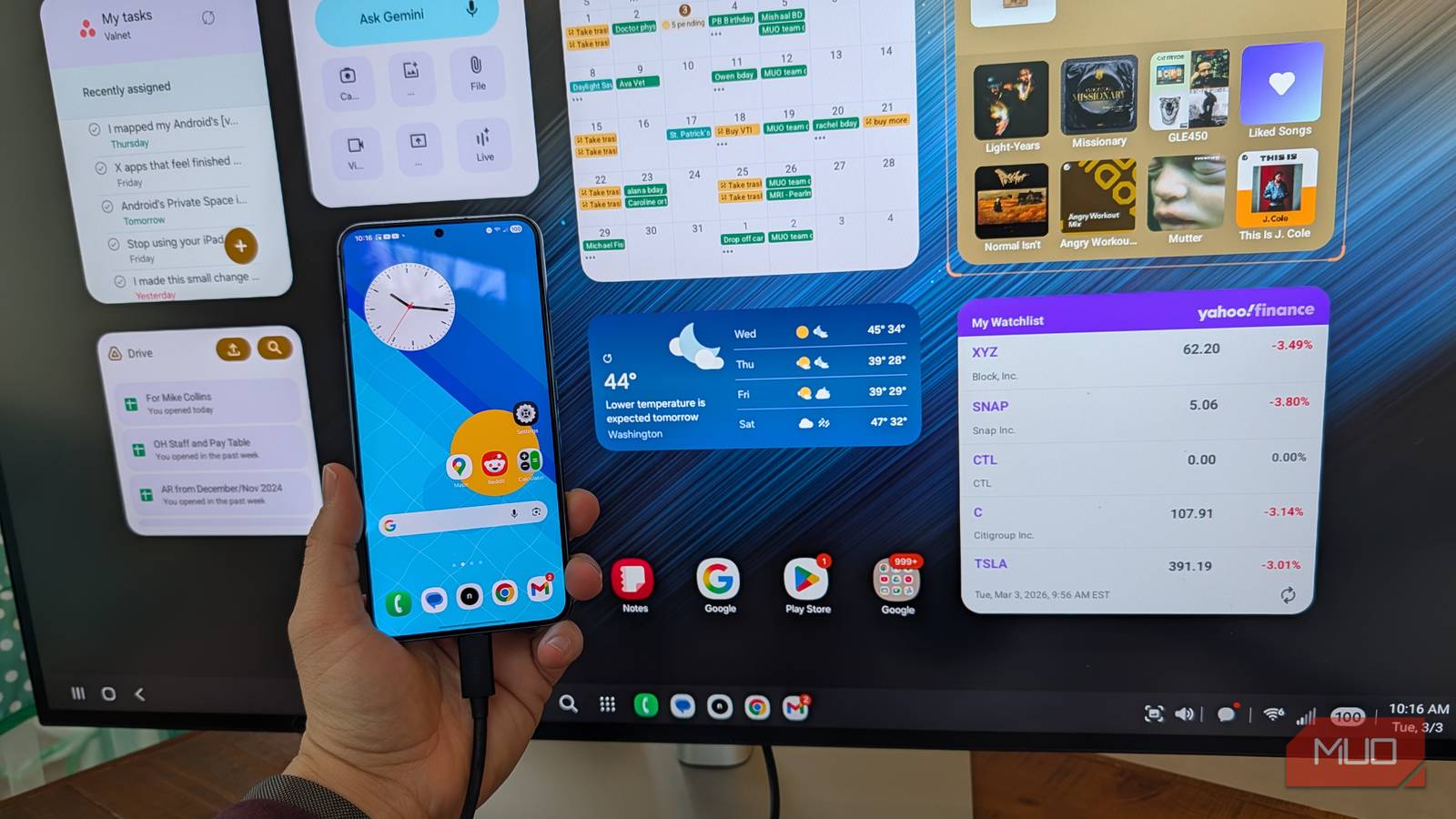
Connecting my Galaxy S22+ to a Dell 32-inch monitor using a USB-C cable and a Bluetooth mouse was a rewarding experience. I created a sprawling Android widget dashboard on the monitor, incorporating smart home controls, calendars, multimedia management, and more. Tweaking the layout allowed me to customize the system to fit my needs.
Recent updates have simplified the connection process, allowing DeX to function with a standard USB-C cable compatible with any monitor supporting DisplayPort Alternate Mode. My experience suggests that a wired connection offers a smoother interaction than wireless options.
My Professional Dashboard
I integrated tools like Google Drive, calendars, and stock trackers to create a dashboard for professional tasks. Dividing the dashboard into sections helped organize immediate tasks, calendar appointments, and passive information like weather forecasts or stock updates. Samsung’s widgets, along with third-party options, significantly enhance this customization.
Personalizing the Experience
In addition to work, I created a personal dashboard featuring photos and smart home controls using Google Photos and various smart home widgets. This setup serves dual functions, showcasing a streamlined command center for both work and personal use.
DeX serves as a comprehensive dashboard rather than just a desktop replacement, allowing for a tailored multi-screen command hub that enhances daily life.
Key Takeaways
- Enhanced Functionality: DeX provides a desktop-like experience through a larger screen.
- Custom Dashboard Creation: Users can set up personalized dashboards with an extensive widget library.
- Flexible Layout Options: Creative widget organization supports various workflows.
- Improved Productivity: Combining tools into one screen boosts daily efficiency.
- Seamless Integration: Pairing DeX with monitors and Bluetooth devices enables an easy setup.
Exploring Samsung DeX has deepened my engagement with technology in my daily life.