

TL;DR
- Google Contacts is enhancing functionality by introducing support for multiple photos associated with a contact through Calling Cards.
- An updated user interface is being developed to showcase Calling Cards while reducing the emphasis on traditional contact photos.
- Upcoming features will enable users to share their personalized Calling Cards with friends and family.
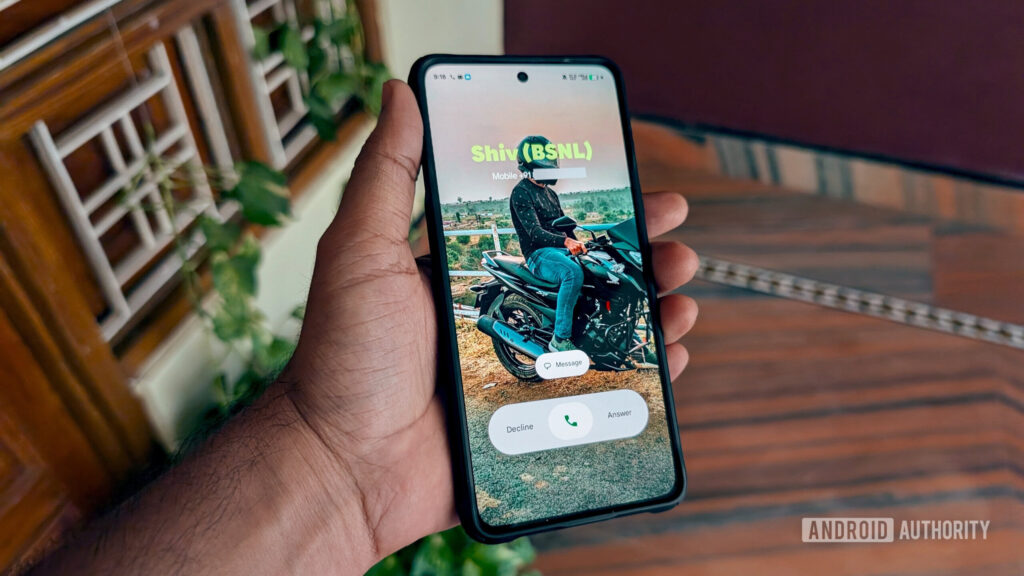
Google Contacts is rolling out enhancements surrounding the Calling Card feature. Introduced last year, Calling Cards allow users to assign unique pictures to each contact, and soon, users will be able to create their own personalized Calling Cards. Exciting changes are on the horizon for how contacts appear within the app.
The integration of Calling Cards has resulted in a cluttered layout in the Contacts app, where users already had the option to assign a photo to individual contacts. The latest version of the Android app indicates that developers are working on a new interface to better manage these photos on contact detail pages.
The current interface features both photos prominently, making it feel congested. The new design aims to streamline this layout, allowing Calling Card images to take center stage.
If no Calling Card is established for a contact, the app continues to show the traditional contact image without modifications.
Developers are also implementing additional capabilities related to Calling Cards. Users will soon have control over who can view their personalized Calling Cards.
With these updates, users can expect an enhanced experience for managing their Calling Cards, including notifications about shared Calling Cards and improved blocking notices when attempting to block a contact.
Google’s ongoing efforts to improve how users connect with one another are evident in the enhancements to Calling Cards.
Key Takeaways
- Google Contacts users can manage multiple images for each contact, enhancing personalization.
- Future updates promise a simplified interface for improved user experience.
- Sharing capabilities for Calling Cards may foster better connectivity among users.
- Continuous enhancements indicate Google is addressing user needs actively.
- Staying informed on these updates can help users leverage improved features effectively.