

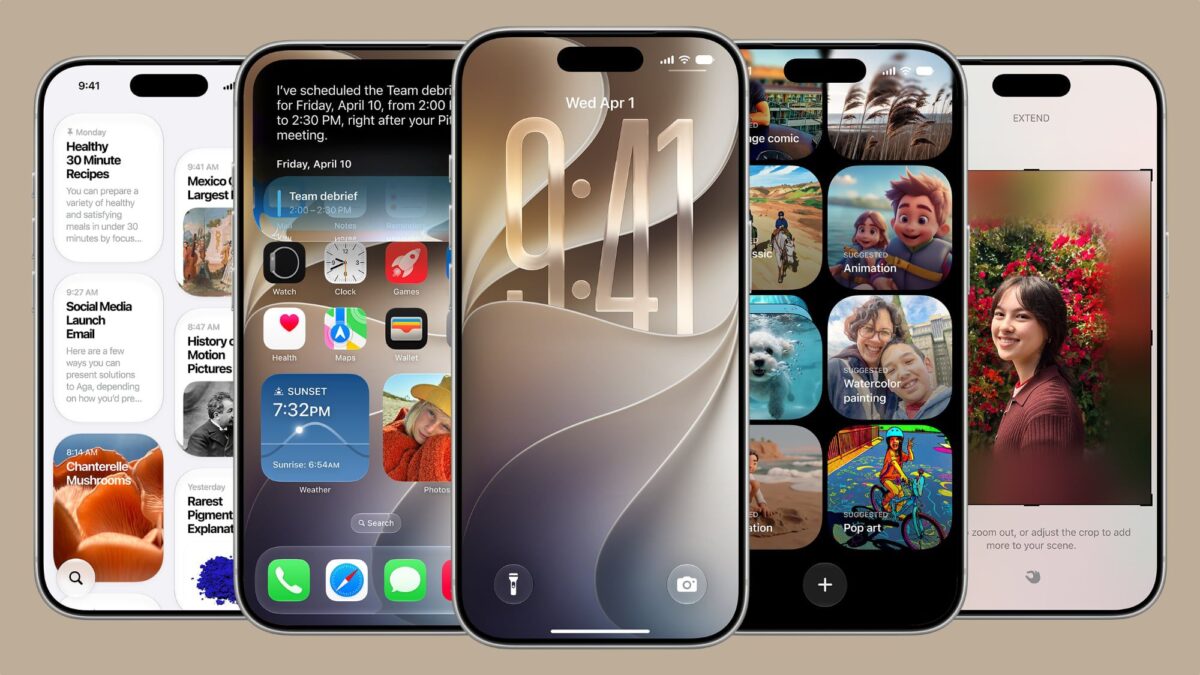
At the recent keynote of WWDC 2026, Apple unveiled a plethora of exciting features in its latest mobile operating system, iOS 27. While many spotlight moments were dedicated to larger updates, several lesser-known yet impactful tweaks were also highlighted, showing Apple’s attention to practical user needs.

Apple presented a visual overview that encapsulated enhancements and bug fixes across iOS 27, alongside updates in iPadOS 27 and macOS 27. Among these changes are several features that could significantly affect user experience.
Shared Phone Numbers Across iPhones
The rollout introduces a feature allowing multiple iPhone devices to operate under a single phone number. Users can toggle between two iPhones seamlessly, mirroring the way an iPhone pairs with an Apple Watch. This capability may require support from mobile carriers, the details of which are yet to be confirmed during the beta phase.
Enhanced FaceTime Experience
iOS 27 will also introduce the ability to employ both front and rear cameras simultaneously during FaceTime video calls, marking a major evolution in how users can connect visually.
Boosted AirPlay and AirDrop Speeds
Users can expect notable improvements in the speed of AirPlay streaming to devices like the HomePod and Apple TV. Additionally, AirDrop transfer times between iPhones and nearby devices have been significantly reduced.
Messages Drawing Feature
A new drawing tool within the Messages app allows users to express themselves graphically, adding a personal touch to conversations.
Extra Large Home Screen Widgets
The introduction of a new extra-large widget option for the home screen allows users to display more detailed information at a glance, offering greater accessibility.
Timed Shared Photo Albums
Users can now set expiration dates on shared photo albums, ensuring that they don’t stick around indefinitely.
Independent Alarm Control
Alarm volume can now be adjusted separately from general system sounds, giving users greater flexibility in managing notifications. This can be customized in Settings under Sounds & Haptics.
Improved Notes App Functionality
Users can easily copy and paste Markdown notes into the Notes app, expanding its functionality for those who prefer this text formatting style.
Saving Video Frames
A new option in the Photos app enables users to save individual video frames as images, enhancing editing and sharing capabilities.
Upgraded Weather App
The Weather app has been revamped to include a “Highlights” view and provides detailed hourly and 10-day forecasts focused on precipitation levels and wind speeds.
Other iOS 27 Enhancements
- Improved loading speeds in the Mail app
- More power-efficient browsing on Safari
- Better battery usage insights
- Smoother navigation in the App Library
- Efficient unlocking for iPhones
- Innovation in AutoMix transitions in Apple Music
- Streamlined HomeKit accessory integration
- Faster Safari start page loading
- Enhanced accuracy in Maps’ Visited Places
- Simplified device syncing for Messages
- Optimized power use for personal hotspots with the N1 chip
- Automatic retries for failed messages
- Refined Bluetooth power management
- Support for shifts in time zones within Sleep settings
- Enhanced unread message badge reliability in Mail
These features reinforce Apple’s commitment to enhancing user experience with iOS 27. Developers currently have access to the iOS 27 beta, with a public beta expected in July and a full release slated for this fall.