

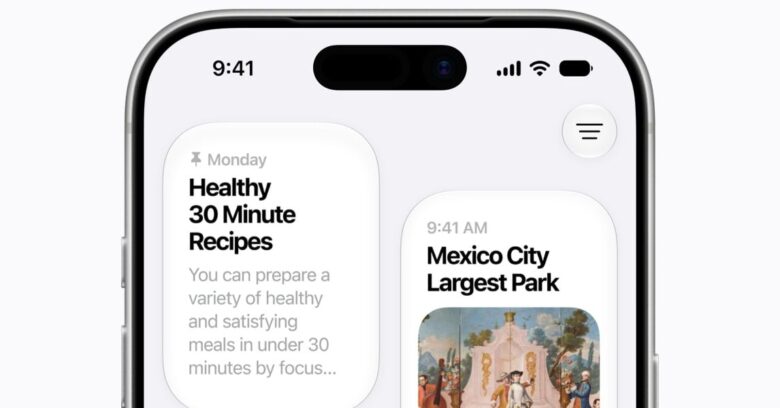
While the excitement surrounding WWDC 2026 might not rival last year’s transformative iOS 26 launch, the latest updates for iOS 27 and iPadOS 27 still managed to capture attention.
During the keynote address, Apple unveiled upcoming features of its mobile operating systems set to arrive in September. While the initial buzz may be lower this time, the enhancements are designed to refine user experience through various degrees of stability and performance upgrades.
iOS 27 and iPadOS 27 concentrate on solidifying the reliability of the software while introducing several practical updates. Among these, the enhanced Siri AI stands out significantly.
Is Your Device Ready for the Update?
Apple typically phases out support for older devices at each iteration of its operating system. However, iPhones from 2019 onward, including the iPhone 11 and later models, will be eligible for iOS 27.
iPad compatibility is more complex due to Apple’s new nomenclature. Users can check their iPad model here. Certain devices, including the 8th-generation iPad from 2020 and the 5th-generation iPad Mini, are ineligible for this update.
- iPad: 9th generation and newer
- iPad Mini: 6th generation and newer
- iPad Air: 4th generation and newer
- iPad Pro: 2nd generation and newer
Thinking about Trying the Developer Beta?
Anyone can install the developer beta of iOS 27 and iPadOS 27, but caution is advised. Developer betas often come with glitches that could hinder everyday use. If you’re keen to experiment, consider using a spare device rather than your primary phone.
If you do opt for this route, be sure to back up your data. To install, go to Settings > General > Software Update > Beta Updates and choose the appropriate developer beta version. The installation process should take just a few minutes.
The public beta, typically more stable, is expected to roll out in July, with the full version launching around mid-September.
New AI Features Limited to Recent Models
Even if your older iPhone or iPad can download the update, certain features, like advanced AI functionalities, will only be found on devices such as the iPhone 15 Pro and newer models.
Exploring the Key Features of iOS 27 and iPadOS 27
Here’s a concise overview of some notable features heading to iOS and iPadOS 27.
Revamped Siri and a New Siri Interface

Siri is set to become a more adept assistant thanks to advancements tied to new foundational models. The redesign features a fresh interface and enhanced capabilities allow Siri to assist with visual searches directly through the camera.
Performance Enhancements

Users will appreciate the speed increase, with app launches seeing up to a 30% boost and loading times improving significantly.
Refined Liquid Glass Effects

Users can adjust the transparency of the Liquid Glass design element directly in the settings.
Enhanced Child Safety Measures

New child safety options include parental controls and features to prevent explicit content in messages and FaceTime chats.
Key Takeaways
- The updates promise notable performance enhancements, supporting faster app launches and media loading times.
- Siri’s new capabilities aim for greater context awareness, integrating more seamlessly into daily interactions.
- Child safety features enhance parental controls, fostering a secure digital environment.
- Customization options within the Liquid Glass interface offer users a personalized aesthetic experience.
- Older devices may miss out on some advanced features, reminding users to consider their hardware’s limitations.