

The latest updates to Apple’s Passwords app in iOS 26 include a new feature that significantly reduces the hassle of dealing with lost passwords.
New Options for Recently Generated Passwords in iOS 26
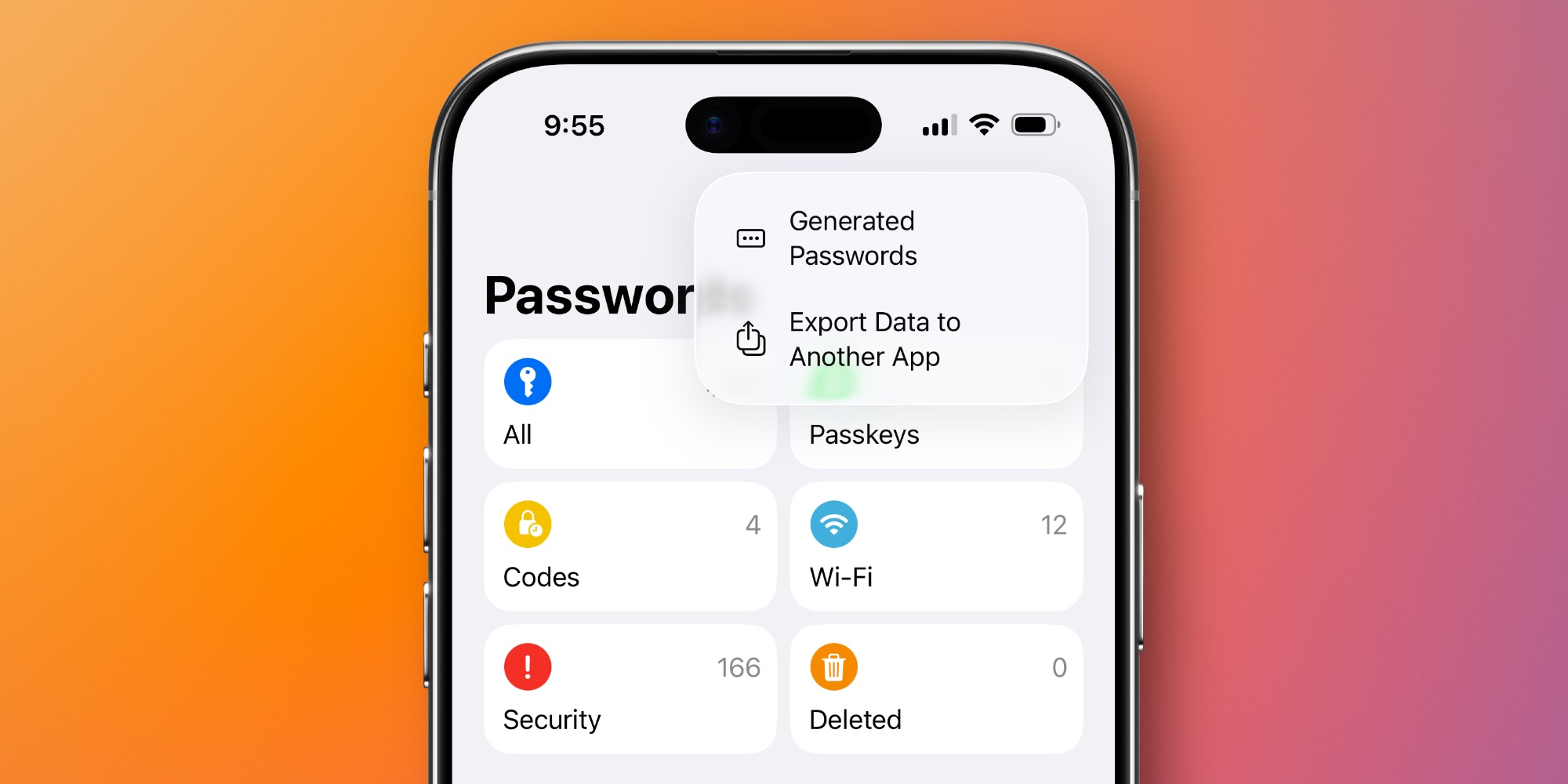
This update aims to mitigate the common issue of newly generated passwords failing to save correctly. A discreet option now appears when a password is generated but not saved properly. Tap the three-dot icon in the top-right corner of the Passwords app to discover the ‘Generated Passwords’ feature.
This option is visible only when a new password has been created recently. If you don’t check right after generating a password, you might miss it entirely.
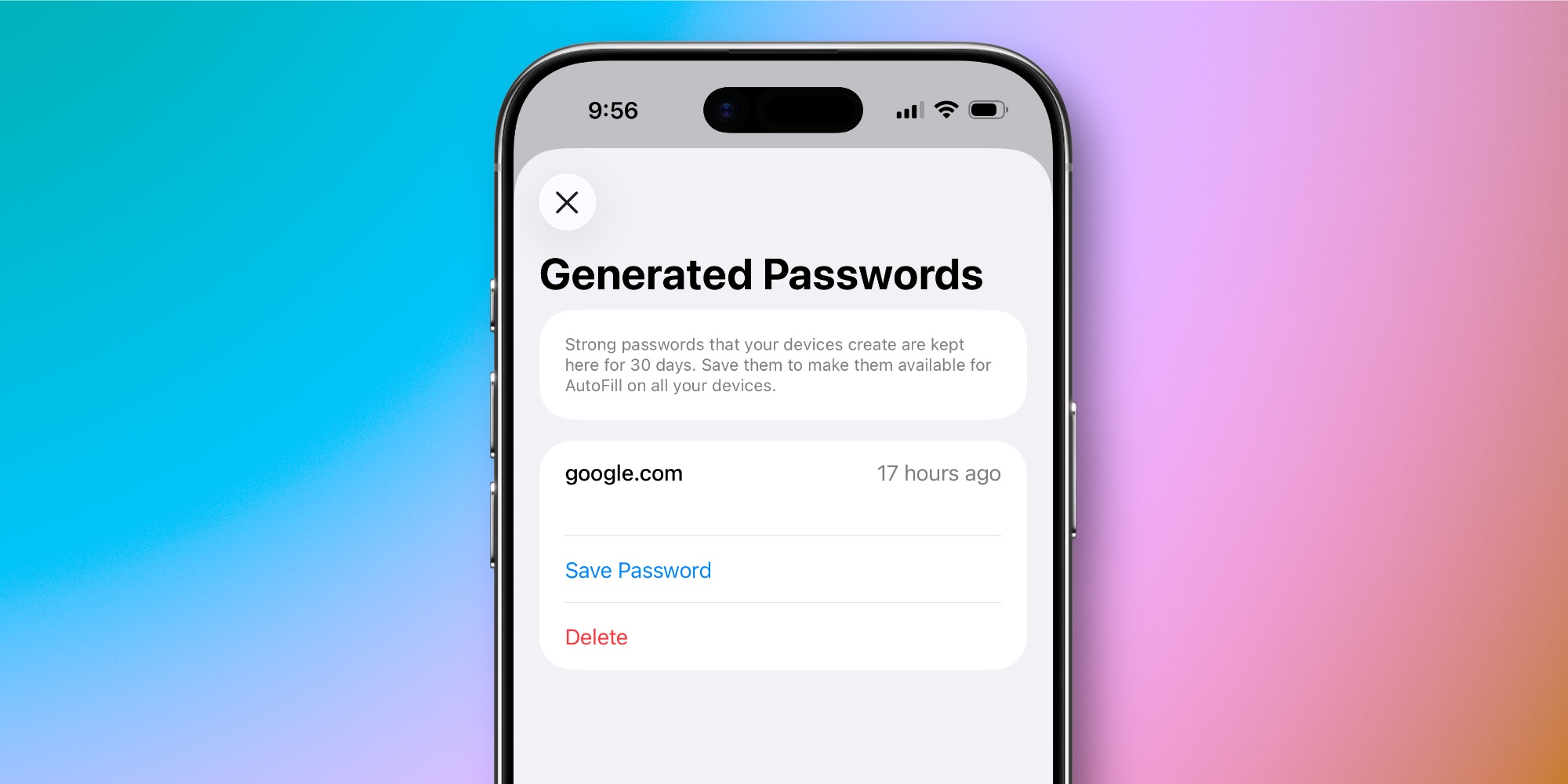
When activated, you can see details like the website related to the generated password, its creation time, and options to save or delete it. These passwords are accessible for 30 days.
While this feature enhances the user experience, greater visibility, such as a small notification indicating that a password hasn’t been saved yet, could further engage users.
Key Takeaways
- iOS 26 introduces a ‘Generated Passwords’ option, enhancing password management.
- The feature appears only when a password is created recently.
- Users can view websites related to recently generated passwords and save or delete them easily.
- Available for password management within a 30-day window.
- Increased visibility could enhance usability, helping users stay organized.