

Gemini Spark Launches on Google AI Ultra in the U.S.: A Look at Functionality
This week marks an exciting development for Google AI Ultra subscribers, as the Gemini Spark feature becomes available in the United States.
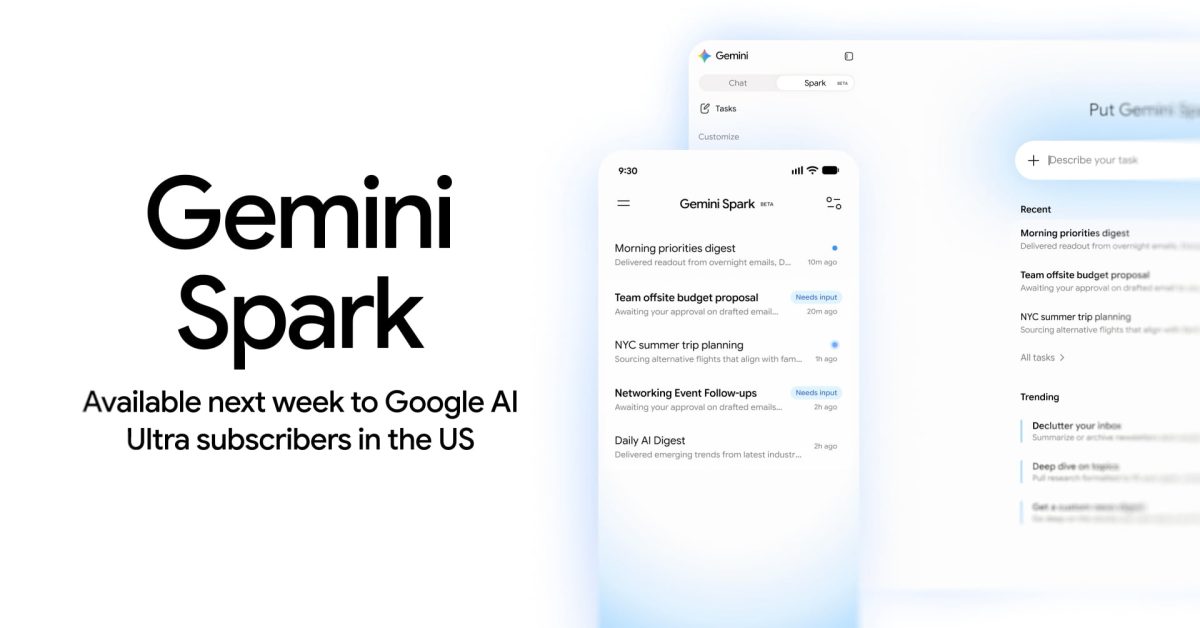
Gemini Spark serves as a versatile personal assistant designed to streamline various online tasks. Users can find the new “Spark” tab in the side panel on web browsers, situated alongside the “Chat” option. For those using mobile devices, it is integrated between Search chats and the Daily Brief feature, albeit still in its “Beta” phase.
Currently, Gemini Spark leverages Google Workspace in conjunction with Connected Apps, harnessing Personal Intelligence, user location data, and more. Here’s how it can assist you:
Remote Browser & Computer Capabilities:
- The tool can save information automatically while you browse. For instance, it allows users to navigate websites, interact with content, and even manage online shopping carts.
- It can utilize data from your remote computer to execute predetermined coding tasks.
Features within Google Workspace
Calendar Management:
- Schedule Coordination: Check calendars, RSVP to invites, and set up new events.
- Adjustments & Clean-ups: Reschedule meetings, change venues, or cancel events as necessary.
- Smart Suggestions: Suggest optimal times for meetings based on everyone’s availability.
Document Handling in Drive, Docs, Sheets, and Slides:
- File Searching: Easily locate files, check their content, and view recent documents.
- Document Creation & Editing: Generate new Google Docs or modify existing ones, involving tasks like summarizing and note-taking.
- Spreadsheet Creation: Produce and customize Google Sheets for various data needs.
- Presentation Tool: Create Google Slides from simple prompts.
Email Management with Gmail:
- Email Searching & Summarization: Find specific topics in emails or generate summaries to save time.
- Drafting & Responses: Compose new emails or respond to threads seamlessly.
- Inbox Organization: Enhance your email efficiency with label usage.
Understanding the Components of Gemini Spark
Gemini Spark is built around three main concepts:
Task: Refers to high-level goals or objects that users want to accomplish.
Schedule: Specifies when Spark should operate, whether at a recurring time or triggered by an event. Examples include scheduling daily updates on industry news.
Skill: Represents a set of reusable instructions and context, which can be signaled through commands such as @ or /. This allows the tool to execute specific tasks and utilize the right resources.
For instance, if you want to manage a business trip to London, you could define:
- Task: Plan and manage the business trip.
- Schedule: Trigger notifications when your flight is delayed.
- Skill: Utilize both “Travel Booking” and “Gmail Writing” skills to arrange accommodations and confirm via email.
Other applications of Gemini Spark include:
- Cleaning your inbox by summarizing or archiving messages.
- Creating tailored news digests that follow developments on topics of interest.
- Conducting in-depth research with cited sources for enhanced understanding.
Users can describe their tasks, upload relevant files, and utilize a dedicated work panel to track progress. The Remote browser feature allows hands-on management as needed.
Key Takeaways
- Enhanced Productivity: Gemini Spark aims to simplify task management by covering a wide array of functions.
- Customization Options: Users can tailor tasks, schedules, and skills to fit their unique needs.
- Integrated Features: The tool works seamlessly within Google Workspace and Connected Apps.
- Monitoring Progress: Users can oversee task completion and adjust activities accordingly.
- Multiple Task Management: Keep track of up to 15 tasks concurrently, promoting efficient workload handling.
In an era where technology can often feel overwhelming, Gemini Spark’s approach to personal assistance highlights the convenience and efficiency that smart automation can offer.