

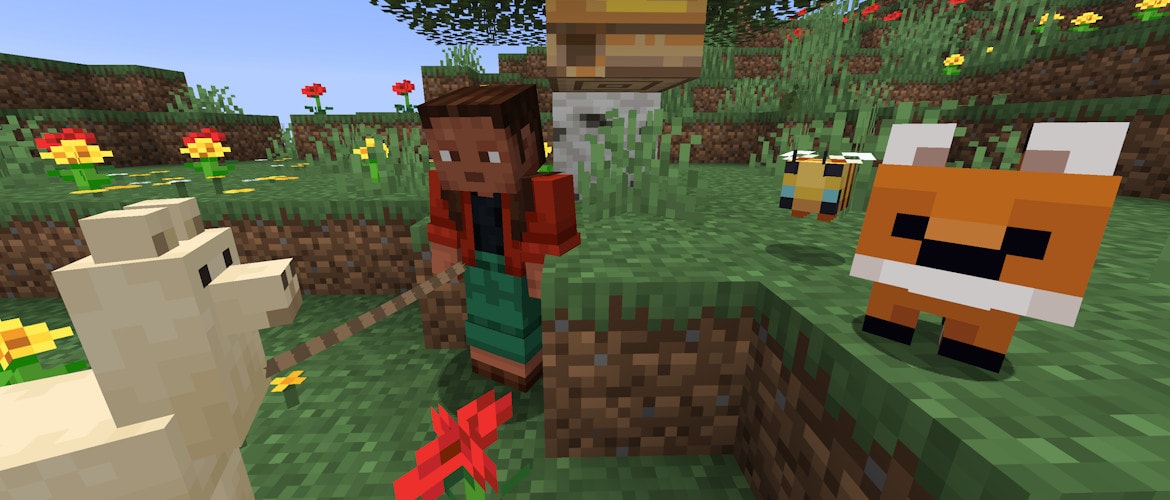
Attention, Minecraft players! In the latest snapshot, a delightful cast of seven adorable baby mobs has invaded your worlds! These charming critters—featuring foxes, polar bears, bees, llamas, armadillos, and goats—are sure to bring a smile. While they may look huggable, not all of them are eager for a cuddle session! They can be found across various biomes, from frozen tundras to sun-drenched deserts.
On the technical side, significant adjustments have been made to the world data format. It’s advisable to thoroughly review the changelog before upgrading to ensure your gaming experience remains smooth.
Happy mining and exploring!
Major Updates
- Enhanced visuals for several baby mobs
- Baby polar bears have been programmed to stop attacking foxes
- New ‘play dead’ animation for baby axolotls
- Graphics improvements for baby chickens and warm chickens
New Baby Mobs Features
- Visual upgrades for the following mobs:
- Bees
- Foxes
- Goats
- Cameo
- Armadillos
- Polar Bears
- Llamas
- Baby camels no longer show saddle graphics
- Baby camel husks have been removed from the game
User Interface Improvements
- Worlds needing an upgrade now display a new prompt: Upgrade and Play. The usual Play Selected World option will be disabled until upgrades are complete.
- A new progress screen has been introduced during the upgrading process.
Note: All players will experience an automatic backup upon loading their worlds for the first time in this update cycle. Once upgraded, you cannot revert to older versions.
Technical Adjustments
- Data Pack version increased to 99
- Resource Pack version updated to 80
Data Storage Improvements (Version 99)
World Data Organization
- All default dimensions are now organized within a new dimensions subfolder.
- Overworld data has moved to dimensions/minecraft/overworld for better organization.
- Nether and End data have also been rearranged for streamlined access.
- Player data has been categorized in the players subdirectory for easier navigation.
- Resource packs are now in the resourcepacks subfolder.
Changes to level.dat
- Tags related to players have been optimized, including new settings for game difficulty.
- Wandering Trader data has been relocated, alongside other elements to streamline the game.
World Generation Adjustments
- Updates to rule-based block state providers make them more adaptable.
- New parameters for features like spike and block_blob enhance user experience.
Block and Item Tags
- Tag configurations have been restructured, enhancing gameplay conditions.
- A variety of new tags have been introduced for ground blocks and features.
Resource Pack Changes (Version 80)
- New sound effects have been added for the steps of baby chickens.
Entity Textures
- A collection of new textures for baby mobs enhances the visual charm of the game.
Shader Enhancements
- Renderer improvements have been made for smoother graphics and visual appeal.
Bugs Fixed in Snapshot 26.1
- Numerous bugs have been addressed, improving stability and performance while gaming.
Accessing the Snapshot
Players can install this snapshot for Minecraft: Java Edition. Simply open the Minecraft Launcher and enable snapshots under the “Installations” tab.
Note: Be cautious! Testing versions can potentially corrupt your worlds, so always back up and consider running them in a separate folder from your main games.
Key Takeaways
- New baby mob features add freshness to the game.
- Enhanced visuals and animations breathe new life into familiar characters.
- Organizational changes for world data improve navigation and efficiency.
- Resource and data pack updates streamline game performance.
- Continuous bug fixes are integral to maintaining a stable gaming experience.
- Always remember to back up before trying out snapshots to protect your worlds.
- With every update, there are opportunities to explore creativity and gameplay strategies.
- Player feedback contributes significantly to the evolution of games.