



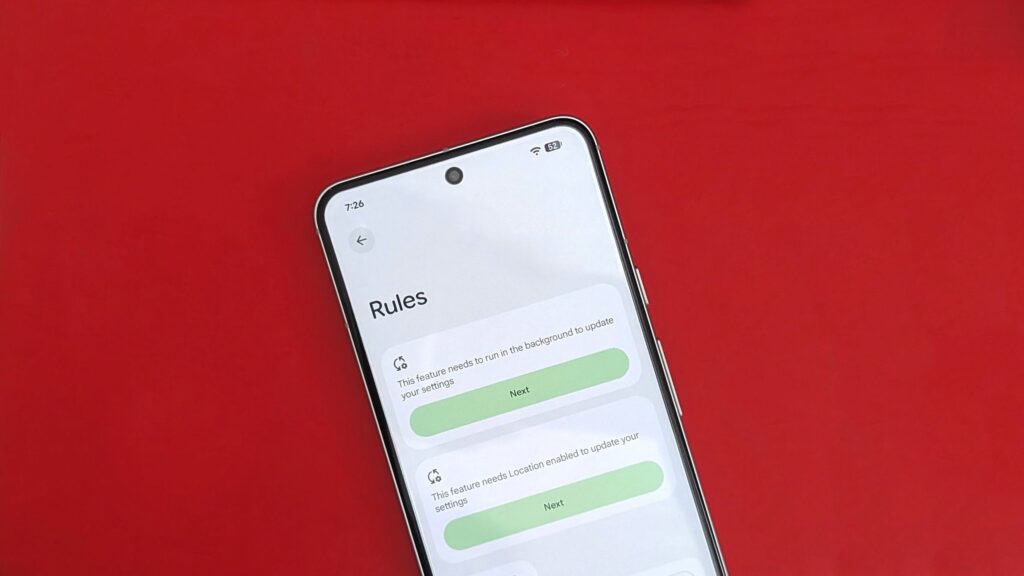
Rediscovering a Hidden Gem on the Pixel 10: A Feature That Simplifies Life
One such feature that flew under the radar is the “Rules” functionality on Google’s Pixel devices. Initially introduced in 2019, it resurfaced recently to remind us just how handy it can be.
Available on Android 16, the Rules feature allows you to automate specific actions based on location or Wi-Fi connections. While it may not offer an extensive range of options, it serves as a practical tool for users looking to streamline their daily routines by automatically adjusting phone settings.
The Pixel 10, with its impressive Tensor chip, retains this feature while enhancing it by learning from user habits. Here’s a guide on how to enable and use this feature effectively.
How to Set Up Rules on Your Pixel
The Rules feature functions similarly to routines for smart home devices, automating your phone’s settings based on location or network. Here’s how to get started, using the Pixel 10 Pro as an example—though this should apply to any Pixel running Android 10 or later:
- Navigate to Settings on your Pixel device.
- Select System from the settings menu.
- Tap on Rules under the System options.
- Click Next and grant necessary permissions for Wi-Fi and location access.
- Hit the Add rule button.
- Choose either Wi-Fi or Location as your rule type.
- Specify the desired location or Wi-Fi network.
- Next, define the action you’d like your Pixel to take.
- Finally, tap the Add button at the bottom-right corner.
You can turn on the feature that Automatically suggests rules based on frequent adjustments to settings, helping your phone anticipate your needs.
Embracing Automation with the Pixel
The beauty of using a Pixel phone is the integrated functionality that makes everyday tasks easier. The Automatically suggest rules setting is a smart way for the device to learn your patterns and propose relevant automations based on your behavior.
There is potential for Google to expand the Rules feature in synergy with applications like Gemini and Google Home, further enhancing user experience and capabilities in ongoing automation.
Key Takeaways
- Simplicity is Key: The Rules feature allows you to automate phone settings based on location or Wi-Fi, simplifying life.
- User-Friendly Setup: Setting up Rules on your Pixel device is straightforward and accessible.
- Proactive Suggestions: Enabling the auto-suggestion feature lets the phone learn from your habits, saving time and effort.
- Future Integration: Exciting possibilities exist for enhancements, especially in automation software.
- Experience Optimization: Using these features can lead to a more customized experience with your device.
Features like Rules can genuinely transform how we interact with technology.