




OpenAI is enhancing mobile engagement with its Codex tool, allowing users on iPhone, iPad, and Android to connect remotely within the updated ChatGPT app.
Accessing Codex through ChatGPT on the go
Previously a standalone application on Mac, Codex is now integrated into the ChatGPT mobile app, enabling remote operation from anywhere.
This integration allows users to stay updated with Codex’s work even while away from primary devices, facilitating task approval and new prompt initiation directly from mobile.
Collaboration is evolving, with quick access to Codex’s insights streamlining workflow.
The mobile version offers robust features for productive use. Users can connect to any device running Codex, including personal laptops and managed remote environments, with real-time updates to maintain project context.
To activate the integration on Mac, users can scan a QR code with their mobile device, enabling effortless multitasking.
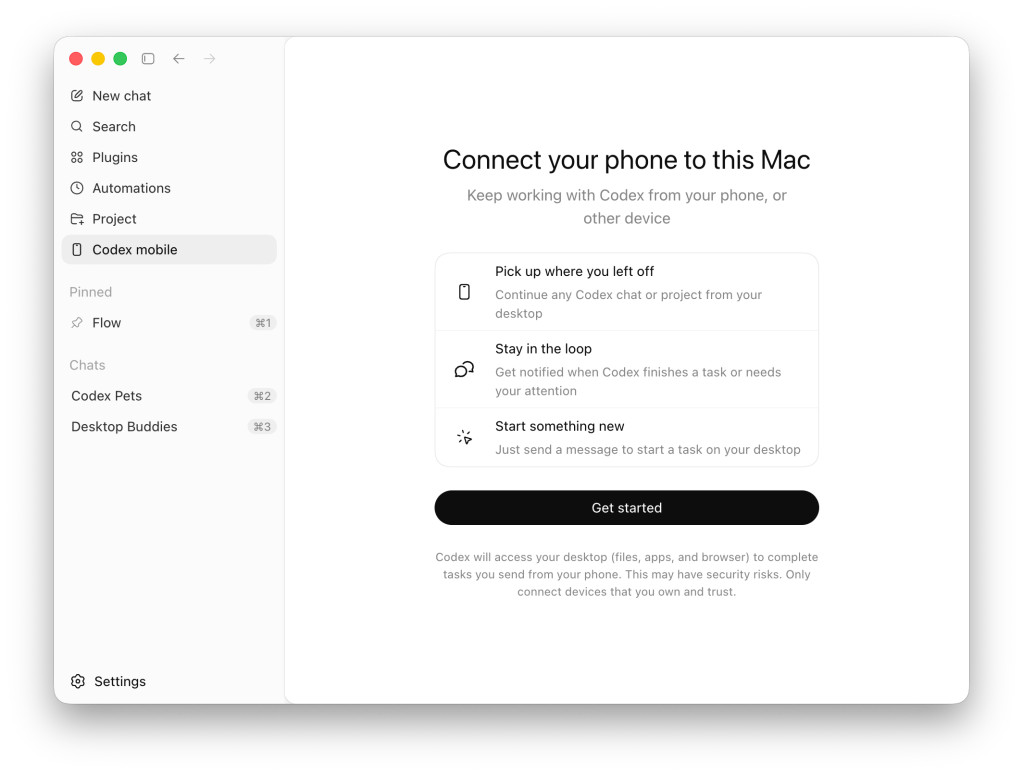
Expanded capabilities beyond simple remote control
OpenAI clarifies that features integrated into the ChatGPT app create a comprehensive suite of tools for mobile users.
Navigate tasks, evaluate outputs, approve commands, switch models, or initiate new tasks from mobile devices, all while ensuring the security of files and sensitive information on the original machine.
This integration is available now, but users should ensure they have the latest versions of Codex for Mac and ChatGPT for mobile. Windows support is anticipated in the future.

Codex is evolving to improve user experience, with Mac users now able to execute applications seamlessly. Subscription plans tailored for Codex users and enhancements for both ChatGPT and Codex are rolling out, including new features like GPT-5.5.
The transition from a command line interface to the Mac application has significantly improved usability and functionality.
Key Takeaways
- The integration of Codex within the ChatGPT app enhances mobile usability for coding and project management.
- Manage tasks and review outputs while on the move, fostering continuous workflow.
- The app maintains security by keeping sensitive information on the local machine, allowing access to updated content without privacy compromise.
- OpenAI aims to expand features, including Windows compatibility.
- Updates contribute to a more dynamic approach to collaboration and remote project management.