



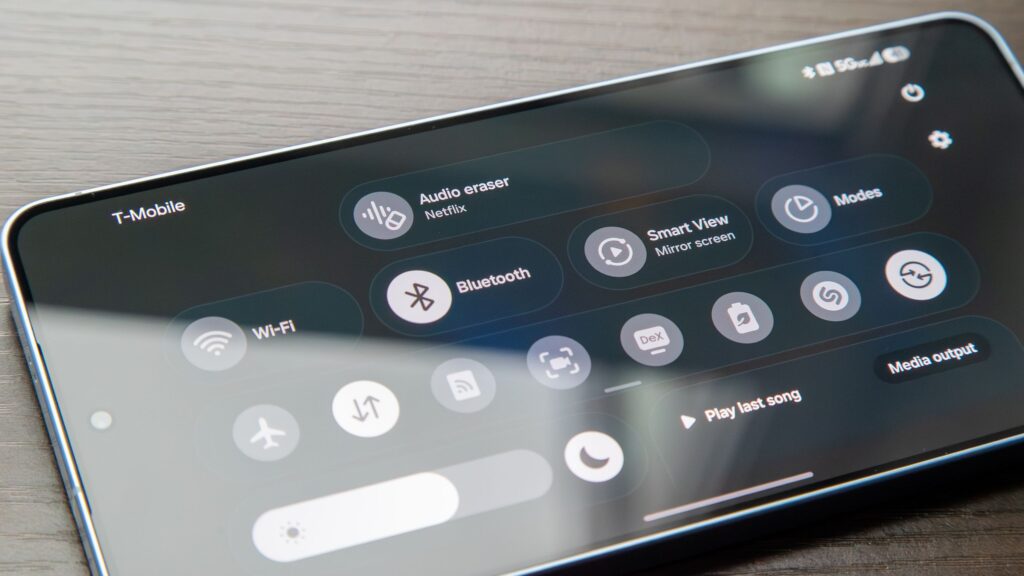
The newly launched Galaxy S26 series is making waves among consumers and tech enthusiasts alike. A lesser-known gem is the enhanced Audio Eraser, which promises to redefine how users experience audio content.
With the introduction of the Galaxy S26, the versatility of Audio Eraser can now be utilized with a variety of third-party applications, allowing users to enhance audio clarity while consuming content on platforms like Netflix and Instagram.
Unpacking Audio Eraser and the One UI 8.5 Upgrade
The Audio Eraser debuted with the previous Galaxy S25 series, offering the ability to dissect audio from videos into distinct categories—voices, music, noise, and more. This allows users to customize their listening experience by enhancing speech clarity or lowering background music during dialogue-heavy scenes.
The Galaxy S26’s capabilities extend to videos stored on the device, regardless of their origin. With One UI 8.5, support for third-party apps has further elevated the feature, allowing users to manipulate audio settings for improved voice clarity.
Using Audio Eraser: A Step-by-Step Guide
1. Open any third-party app, such as YouTube, Netflix, or Instagram, and start playing a video.
2. Swipe down to access the quick settings menu and select Audio Eraser.
3. Turn on the Audio Eraser and adjust its strength to diminish background noise.
4. For music playback, maximize the strength and enable Voice Focus to prioritize vocals.
5. Once done, hit Done.
Transformative Tool for Everyday Viewing
Audio Eraser stands out as an essential tool within Samsung’s suite of intelligent features. It offers practical benefits beyond mere novelty, enhancing dialogue clarity while maintaining the context of the scene. This feature provides a welcome solution for users who often rely on subtitles to catch important lines.
Though not without limitations, particularly during challenging audio scenes, it serves as a valuable asset for many users, especially those with hearing challenges. The potential for differences in auditory experience is substantial, sparking hope for its application in more music streaming services in the future.
Key Takeaways
- The Galaxy S26’s Audio Eraser enhances audio clarity across third-party apps, offering users greater control.
- It breaks audio down into categories, allowing fine-tuning of music and dialogue.
- Integration into popular platforms like Netflix makes it practical for users seeking improved clarity.
- While effective, the feature may not always deliver perfect results, suggesting strategic usage for optimal outcomes.
- Audio Eraser could serve as an important accessibility tool, promoting inclusivity for those with hearing impairments.