




Google has announced the release of Android 17 Beta 3 for Pixel devices, introducing a significant milestone in the platform’s stability.
The Platform Stability milestone means users can look forward to finalized internal and external APIs, along with the final list of app-facing behaviors and non-SDK APIs.
Once Platform Stability is reached, there won’t be any further changes that affect applications. This phase signals that developers should commence their final testing and adjustments to ensure their apps will be fully functional for the general release.
App Bubbles Fully Activated
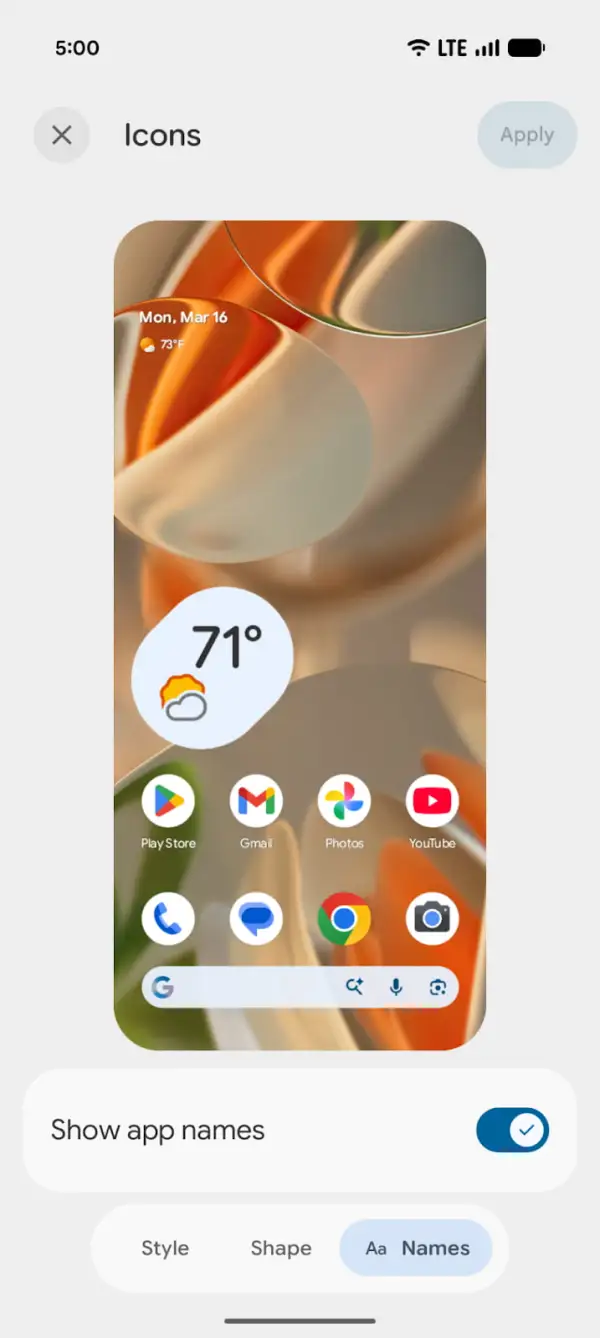
Overhauled Screen Recording Options

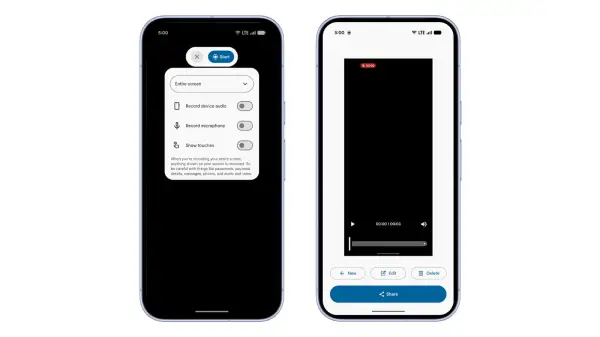
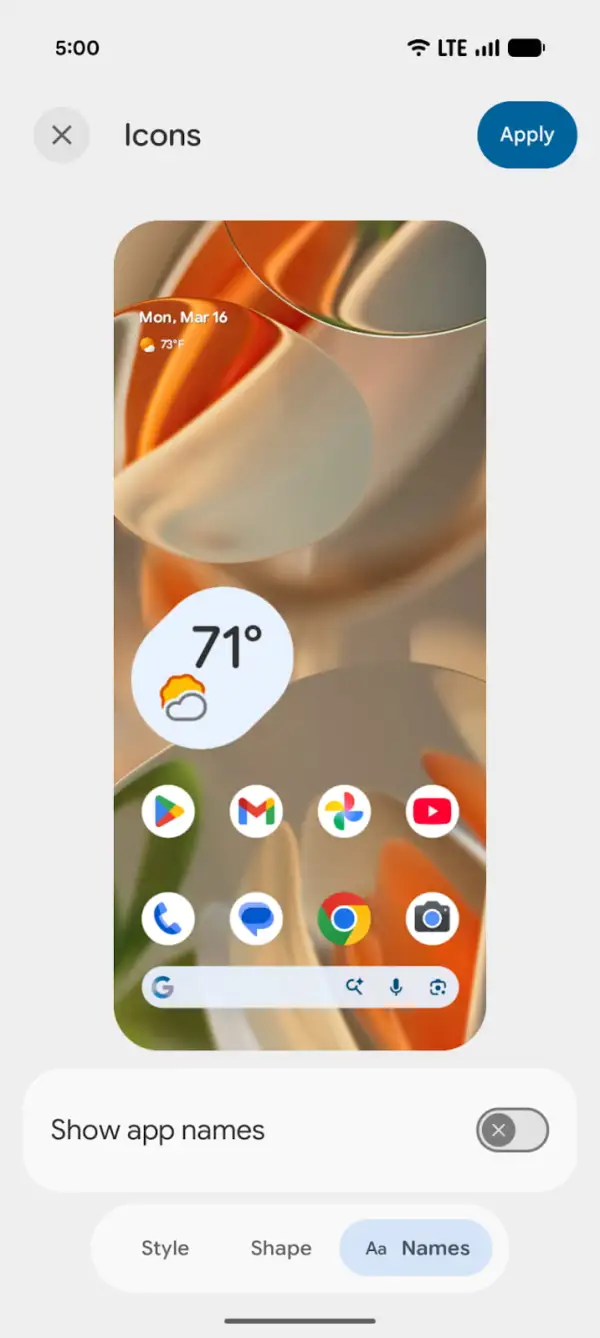
Optional App Label Hiding
Android now allows users to conceal app labels on their home screen, making for a cleaner and more personalized workspace accessible through system customization settings.

Enhancements for Media and Cameras
- Photo Picker Customization: Users can now adjust the aspect ratio in the photo picker grid view.
- RAW14 Support: Advanced camera applications can now capture 14-bit RAW images.
- Vendor Camera Extensions: Manufacturers can define custom camera modes that enhance image quality.
- Device Type APIs: New APIs help identify the type of connected camera.
- Bluetooth Hearing Aids Support: Developers can now differentiate between hearing aids and other audio devices.
- Audio Routing Flexibility: System sounds can be directed to connected hearing aids or device speakers independently.
- Improved Audio Encoding: A new software encoder enhances audio quality for low-bandwidth environments.
Performance and Battery Optimizations
- Idle Alarm Improvements: Reduced battery drain when setting alarms in idle mode.
Enhancements in Privacy and Security
- Location Access Simplified: A new button allows precise location access during app sessions.
- Password Visibility Features: Better control over password visibility settings.
- Quantum-Ready Security: Introduction of a new APK signature scheme prepares apps for future advancements in quantum computing.
User Interface and Experience Updates
- Widget Enhancements: Widgets maintain visual consistency across different displays.
- Interactive Picture-in-Picture: Apps can stay interactive in a pinned window format.
- Customizable App Labels: Users can hide app labels for cleaner navigation.
- Revamped Screen Recording: The new screen recording toolbar streamlines capture settings.
- Bubble Feature Activated: The multitasking bubble interface is now fully operational.
Core Functionality & Health Updates
- VPN Bypass Settings: Enhanced controls allow certain apps to bypass the VPN connection.
- Dynamic Font Updates: Users can receive emoji or typography enhancements without a full system update.
- OpenJDK Enhancements: Updated features improve Unicode support and SSL handling.
- Health Data Differentiation: Health Connect can identify data from applications or verified hardware devices.
Key Takeaways
- The update improves app stability and indicates that developers should finalize testing.
- New features enhance user customization options, including app label visibility and media controls.
- Privacy and security enhancements improve app usage.
- Significant improvements in audio and video functionalities enhance user experience.
- Health-related features improve compatibility with hardware.