

In the heart of San Francisco, the Galaxy S26 Ultra is redefining the way travelers document their experiences. This continuation focuses on the remarkable capabilities of the device’s AI technology. With its intelligent editing features, the Galaxy S26 Ultra enables users to transform their casual snapshots into polished memories.
While exploring San Francisco’s iconic landmarks, the Galaxy S26 Ultra’s AI tools can enhance travel moments, offering a fresh perspective on quick photography.
[Photo Enhancement]
Restore Your Memory with Simple Commands
It’s not uncommon to dive into a delicious meal before capturing it on camera. During a visit to a quaint café in San Francisco, a delectable cake was left partially untouched. Thankfully, the Galaxy S26 Ultra has an answer. With a simple command, “Restore to whole,” users can revert the cake to its untouched glory.
Transport Any Scene After the Moment
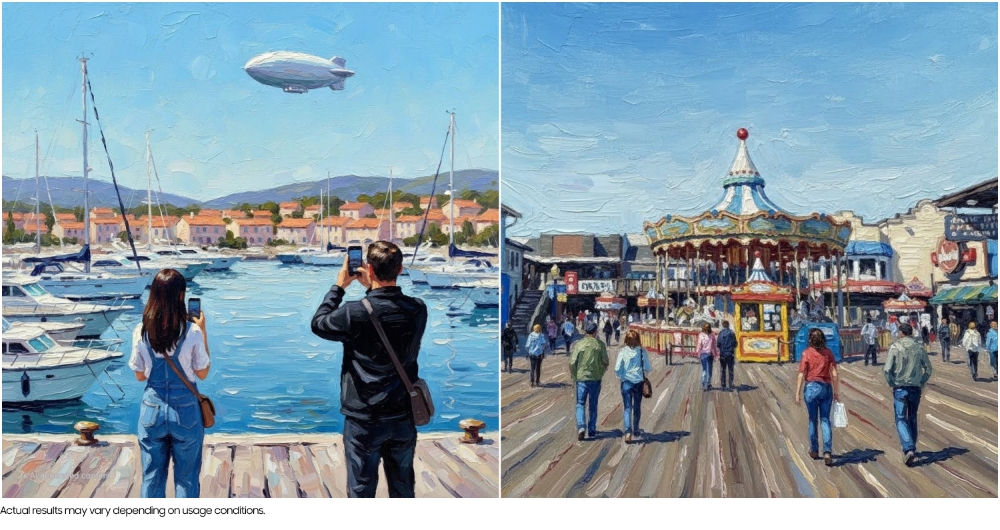
Finding the perfect photo opportunity while traveling is often a challenge. However, the Galaxy S26 Ultra offers a solution. One photo of a bustling San Francisco street was seamlessly merged with an image of a passing tram, creating the illusion of a single, perfectly-timed shot.
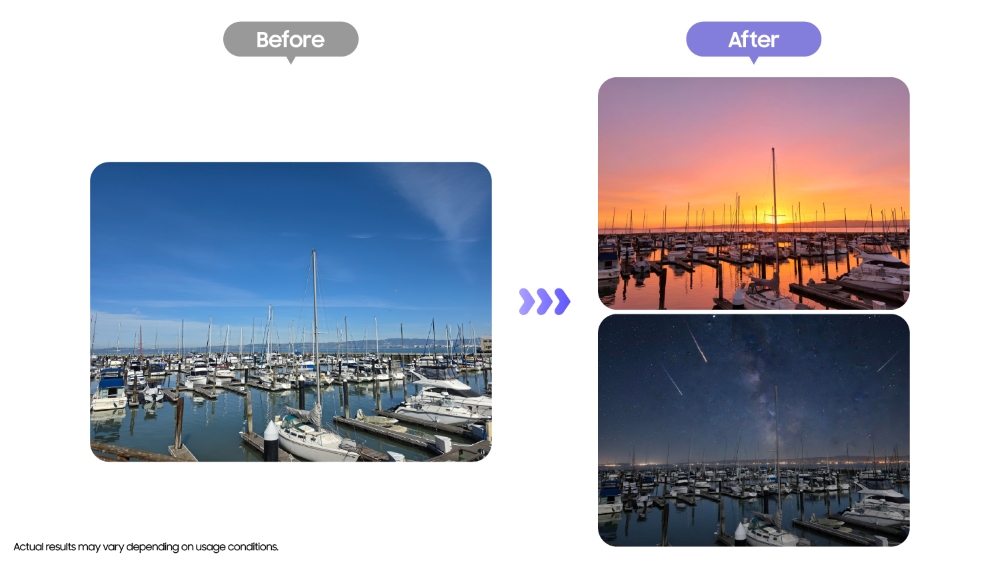
Additionally, by uploading a daytime image of San Francisco’s waterfront and issuing a prompt like, “Change to sunset,” users can adjust the ambience dramatically, altering skies and lighting to reflect a different time of day.
[Artistic Transformation]
Elevate Photos to Artistic Expressions
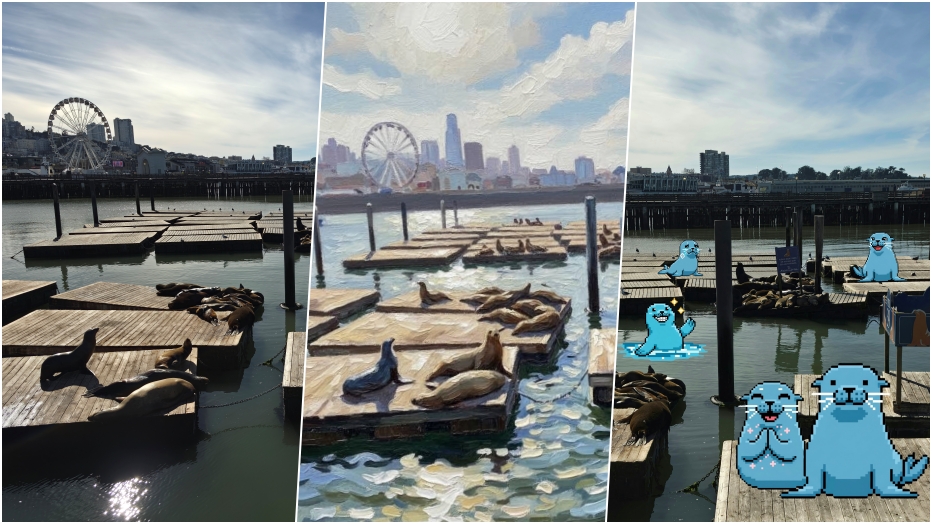
After snapping a playful group of sea lions at Pier 39, users can launch the Creative Studio. By selecting the Oil painting option, the Galaxy AI interprets the image and creatively transforms it into a classic oil painting style.
This transformation sparks a fresh aesthetic, granting a new life to cherished snapshots. Creative Studio on the Galaxy S26 Ultra empowers users to encapsulate memories from unique perspectives.
Craft Personalized Stickers Effortlessly
Utilizing a photo of those lively sea lions, users can create custom stickers through Creative Studio by selecting a particular image and style. With a click on “Generate,” an engaging sticker emerges, encapsulating the essence of the sea lions.
Users can refine their designs until they achieve their desired outcome, then categorize their stickers into themes like “Daily Moments,” “School Days,” or “Your Vibe,” making them easy to save and use.
These stickers deliver a touch of personality to both photos and messaging apps, enhancing the ways we communicate and share experiences.
By embracing the capabilities of the Galaxy S26 Ultra and its AI enhancements, capturing and curating unforgettable moments in San Francisco becomes a more enriching experience. The device simplifies the entire journey from taking photos to crafting and sharing them in engaging ways.
Key Takeaways
Exploring the integration of AI into smartphone photography, several insights can be noted:
- Simplicity in photo editing allows users to quickly fix minor mishaps, enhancing satisfaction in documenting everyday moments.
- The ability to alter scenarios after the fact encourages creative experimentation, making photography less daunting.
- Artistic transformations breathe new life into traditional photos, offering a unique perspective on familiar subjects.
- Custom stickers provide fun and personalization, proving useful for sharing memories with a twist.
- Advanced technology enables seamless integration from shooting to sharing, promoting a more enjoyable experience for users.